Your university life, in one place.
Not a feed to scroll or another app to manage. A quiet workspace that gathers your day and gets out of the way.
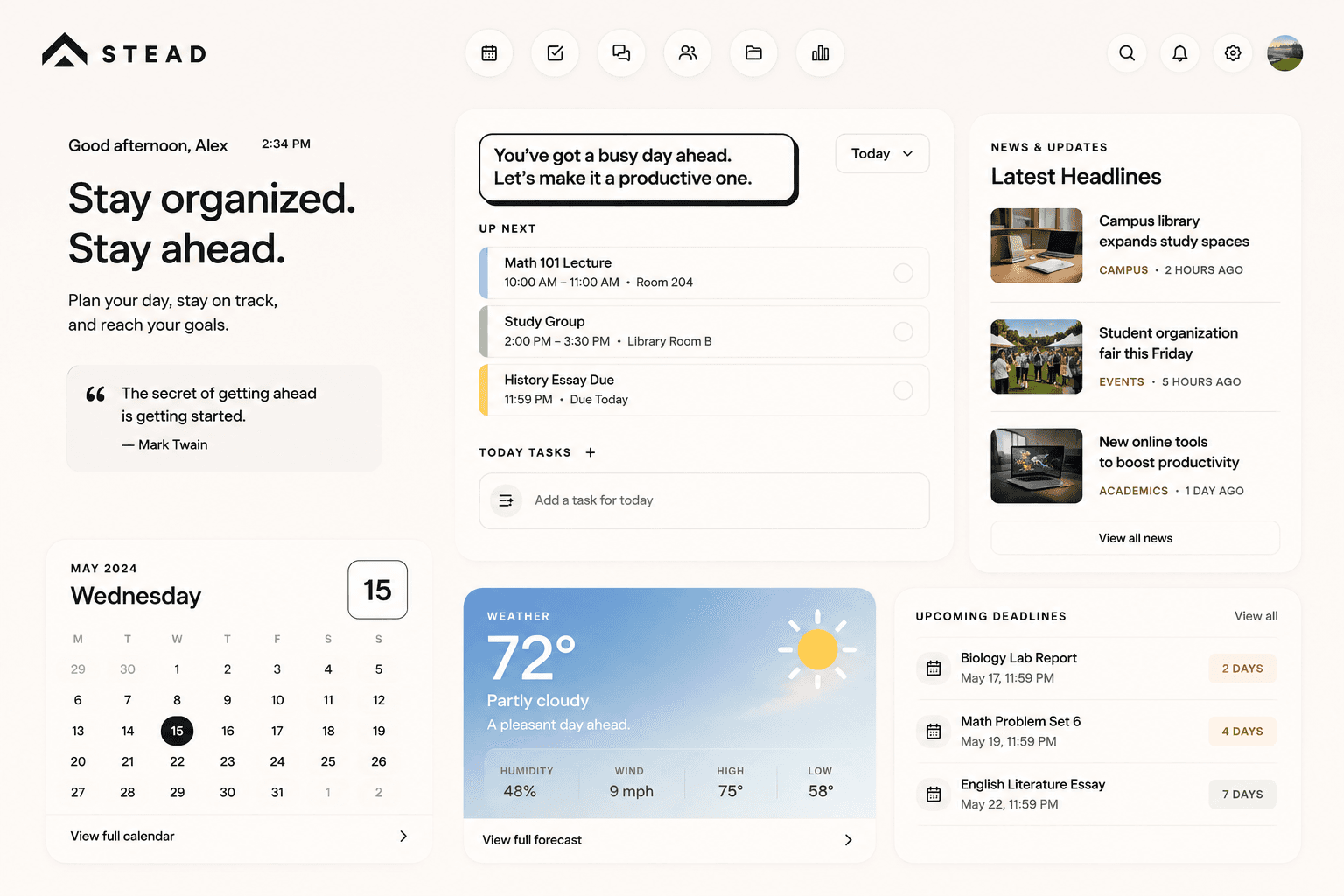
The dashboard - your day, assembled and waiting. Interface shown is illustrative.
Made for the whole day.
Not an app you check once and forget. Something you open in the morning and come back to between classes, after them, and before tomorrow.
Morning
Open Stead. See your day.
One glance covers classes, what's due and what's worth knowing.
Between classes
Check what's next. Capture a task.
A free ten minutes is enough to stay ahead instead of behind.
After class
Stay on top of assignments.
New deadlines land in the right course, next to everything else.
Evening
Know what tomorrow looks like.
Close the day already set up for the next one.
Up and running in a minute.
No setup marathon. A few short steps between here and a dashboard that already knows your day.
Create your account
One place for your whole university day.
Connect a calendar
- onQ
- Apple
- Outlook
Drop your syllabus
Course created
PSYC 100Principles of Psychology
- Schedule
- Grades
- Resources
Your week
Fall 2026Tuesday · September 9
Good morning, Sam.
3 classes, 4 tasks, and clear skies later.
4°
Partly cloudy
Create your account.
Sign up in under a minute. No setup marathon, no manual to read.
Create your account
One place for your whole university day.
Connect the calendars you already use.
onQ, Google, Apple and Outlook all connect, so your existing events sit beside your coursework.
Connect a calendar
- onQ
- Apple
- Outlook
Upload your syllabi.
Each syllabus becomes a course, filled in for you - instead of you retyping a term out of a PDF.
Drop your syllabus
Course created
PSYC 100Principles of Psychology
- Schedule
- Grades
- Resources
Upload your timetable.
Every class becomes a weekly event on your calendar - the whole term, from one screenshot.
Your week
Fall 2026Open one place to see your day.
From then on, your day is assembled and waiting the moment you arrive.
Tuesday · September 9
Good morning, Sam.
3 classes, 4 tasks, and clear skies later.
4°
Partly cloudy
Works with what you already use.
Connect the calendars you already use, so your events and your coursework finally sit in the same view. Google, Apple and Outlook all work today.
We only switch a connection on once it genuinely works, so anything marked available is available right now. University course systems are next.
You connect your own accounts. Stead is independent and isn’t affiliated with or endorsed by these services.
Google Calendar
Bring your Google events into one schedule.
CalendarsApple Calendar
Sync the calendar already on your phone.
CalendarsOutlook Calendar
Pull in your Outlook and school events.
CalendarsBrightspace
Course systems are next on the list.
UniversityonQ
Course systems are next on the list.
UniversityStill early. Moving fast.
We're building in the open. A proper changelog will live here soon - for now, new things land quietly and often.